Delete Segment Items
Objective
To delete a segment item that is being used in a budget code from your company's Work Breakdown Structure (WBS).
Background
You can only delete segments from your company's Work Breakdown Structure (WBS) if that segment has NOT been added to a project's budget code. After your project users add a budget code to one of Procore's Project Financials tools, you can no longer delete segment items. This is because segments are tied to the budget codes in your financial data.
Things to Consider
- Required User Permissions:
- 'Admin' level permissions on the Company level Admin tool.
- Additional Information:
- After a segment item is used to create a budget code on a project, it cannot be deleted. However, you can Deactivate Segment Items.
- Limitations:
- Custom Segments are NOT supported with the ERP Integrations tool.
Prerequisites
Steps
- Navigate to the company's Admin tool.
- Under 'Company Settings', click the Work Breakdown Structure link.
- In the 'Segments' table, click the segment that contains the segment item(s) to delete.
- Choose from these options:
Delete a Flat Segment Item
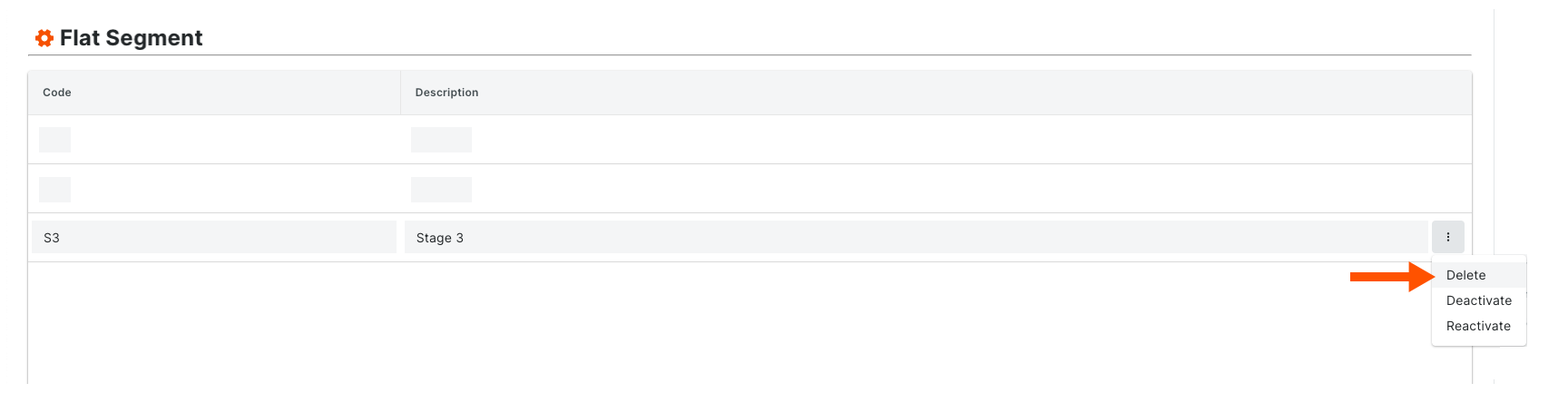
In the 'Segment Items' table, click the vertical ellipsis and choose Delete from the 'Overflow' menu.
Delete a Tiered Segment Item
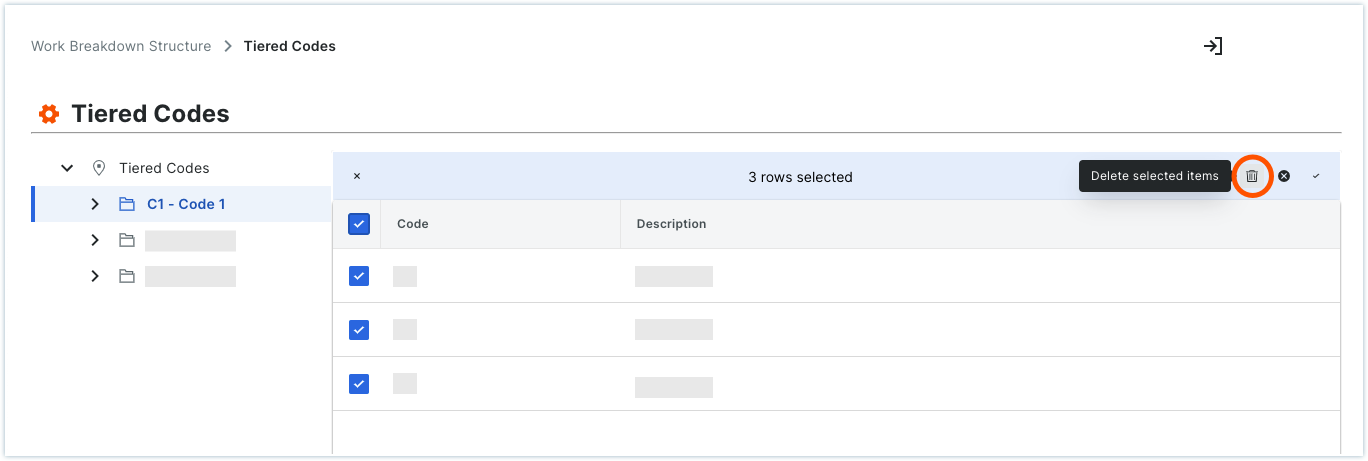
In the 'Segment Items' table, navigate to the segment item(s) to delete. Mark one (1) or more checkboxes corresponding to the items to delete. Then click the 'Delete Selected Items' icon in the top right corner of the 'Segment Items' table.