Apply a Template in the Bid Board Tool
Objective
To apply a template in an existing project within the Bid Board tool, also known as Portfolio Planning in Procore.
Things to Consider
- Required User Permissions:
- 'Standard' or 'Admin' level permissions on the company's Bid Board tool.
- Additional Information:
- A template can only be applied to projects that haven't been added to the Portfolio tool.
- All settings on the Bid Package Default Settings page are carried over to new projects.
- All estimates and data, except the Quantity column, are carried over to new projects.
Steps
- Navigate to the Bid Board tool in Procore.
- Locate the project you want to apply a project template to.
- Click the vertical ellipsis
 icon at the end of the row.
 - Select Apply Project Template.
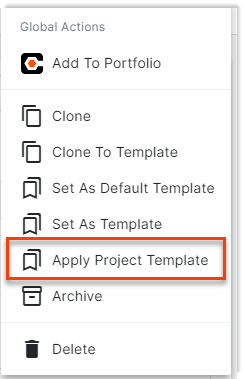
- Choose the project template from the drop-down list that you want to apply to your project.
- Click Apply.