メールを非公開としてマークする
目的
電子メールを非公開としてマークし、「管理者」権限を持つユーザーまたは電子メールに記載されているユーザーのみが電子メールを表示できるようにします。
背景
プロジェクトの電子メール ツールの電子メール メッセージは、[公開] または [非公開] に設定できます。さらに、電子メール ツールに対する「管理者」レベルの権限を持つユーザーの場合は、既定ですべての電子メールをパブリックにするかプライベートにするかを定義することもできます。「電子メール ツールの設定を構成する」を参照してください。
考慮すべきこと
- 必要なユーザー権限:
- 電子メールを非公開または公開にするには、プロジェクトの電子メール ツールで「管理者」を有効にします。
- 作成したメールを非公開または公開するには、 プロジェクトの電子メール ツールの「標準」。
- 追加情報:
- パブリック。電子メール メッセージは、プロジェクトの電子メール ツールで「読み取り専用」以上のアクセス権限を持つすべてのユーザーに表示されます。
- プライベート。電子メール メッセージは、電子メール受信者と、プロジェクトの電子メール ツールで「管理者」レベルの権限を持つユーザーにのみ表示されます。
大事な
ステップ
次から選択します。
メールを非公開としてマークする
- プロジェクトの [ 電子メール ] ツールに移動します。
- 非公開にする電子メール メッセージを選択します。
- [プライベートにする] をクリックします。
大事な!-
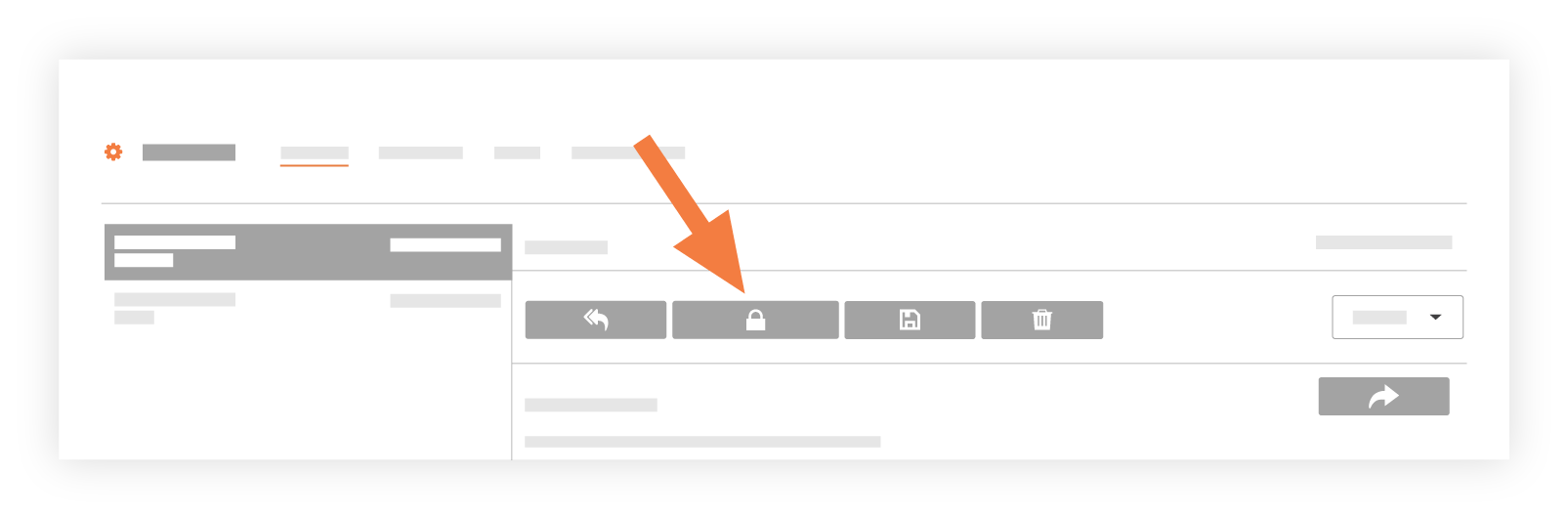
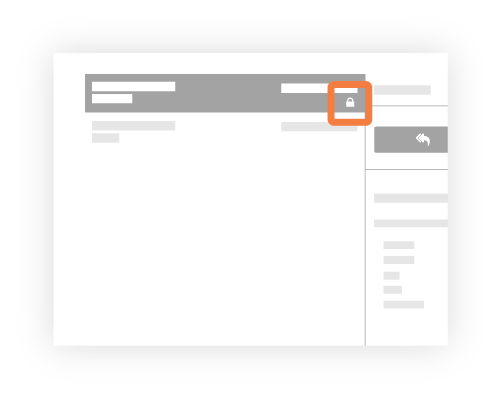
以下に示すように、システムは [電子メール受信トレイ] ページの左側のペインにあるメッセージにロック アイコンを適用します。
-
電子メールを公開としてマークする
- プロジェクトの [ 電子メール ] ツールに移動します。
- 公開する電子メール メッセージを選択します。
- [プライベートにする] をクリックします。

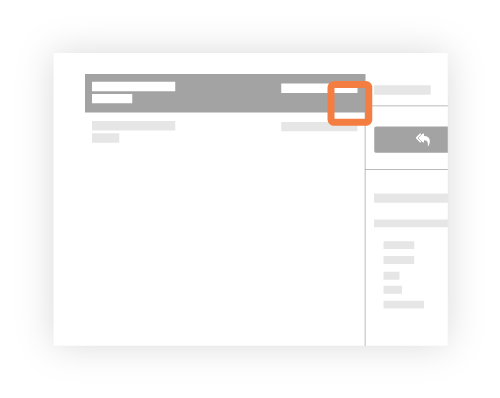
以下に示すように、システムは [電子メール受信トレイ] ページの左側のペインにあるメッセージからロック アイコンを削除します。
関連項目
If you would like to learn more about Procore's email management software and how it can help your business, please visit our construction email management software product page  .
.
.