セグメント項目をプロジェクトレベルの管理者ツールにインポートする (Procore Imports)
目的
Procore Importsを使用して、カスタム作業分解構成図セグメント項目をプロジェクトの管理者ツールにインポートします。
背景
A segment is a discrete category that an organization uses to break down its work into manageable components. A segment item is one of many distinct items in a segment. In Procore's Financial Management tools, segments are the building blocks that define the pattern of your company's budget code structure.
Examples
The example below shows you Procore's default budget code structure, which is available in the Company Admin tool. This budget code structure consists of Procore's two (2) default segments: Cost Code and Cost Type. These segments are required.


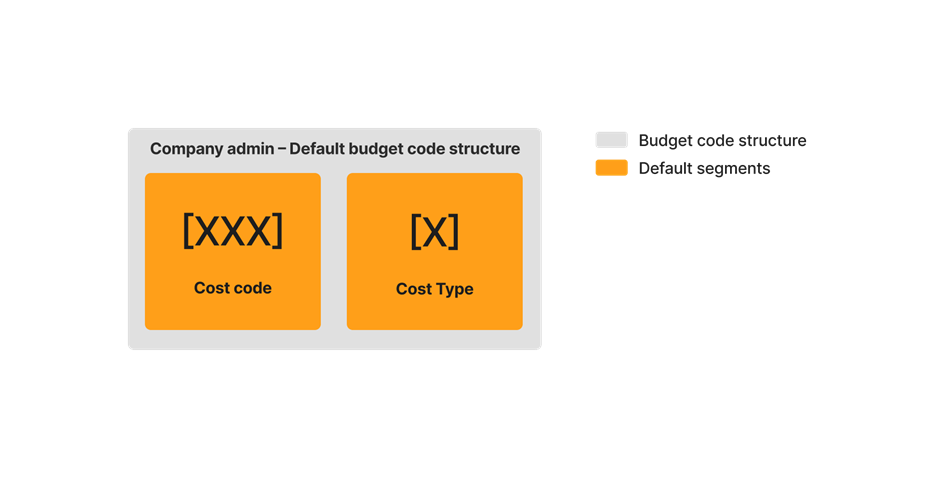

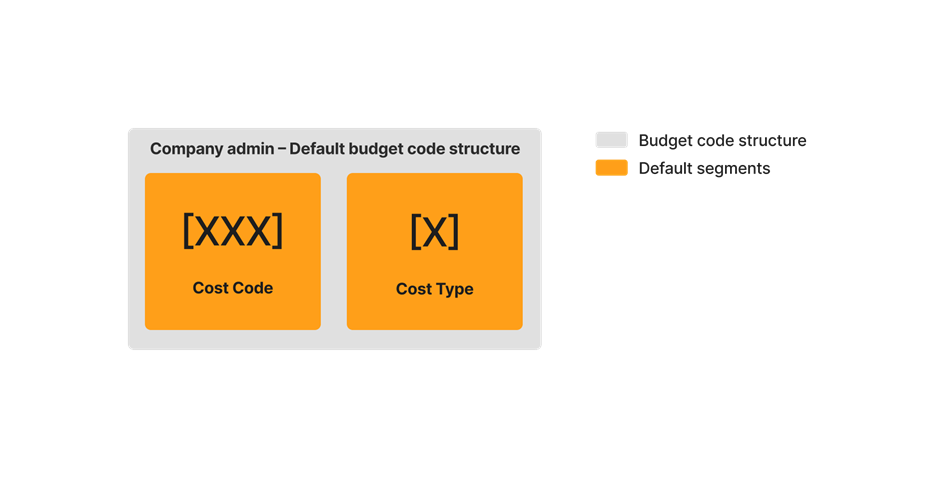


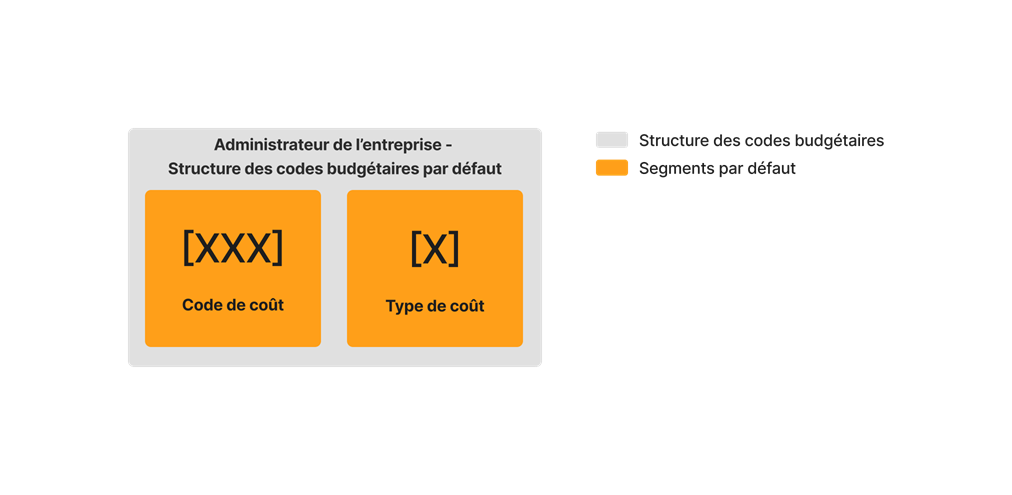
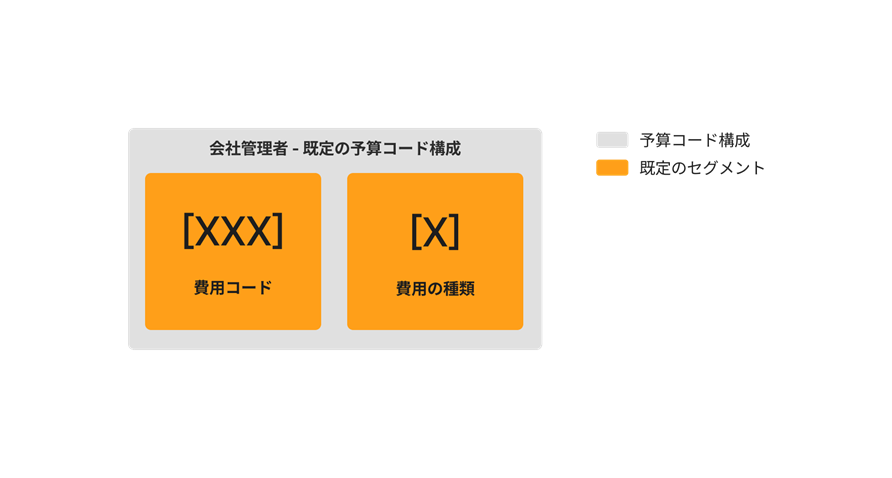


You also have the option to customize your budget code structure with up to ten (10) custom segments. The illustration below shows you how your budget code structure can be customized using a combination of both Procore's default segments and your own custom segments.
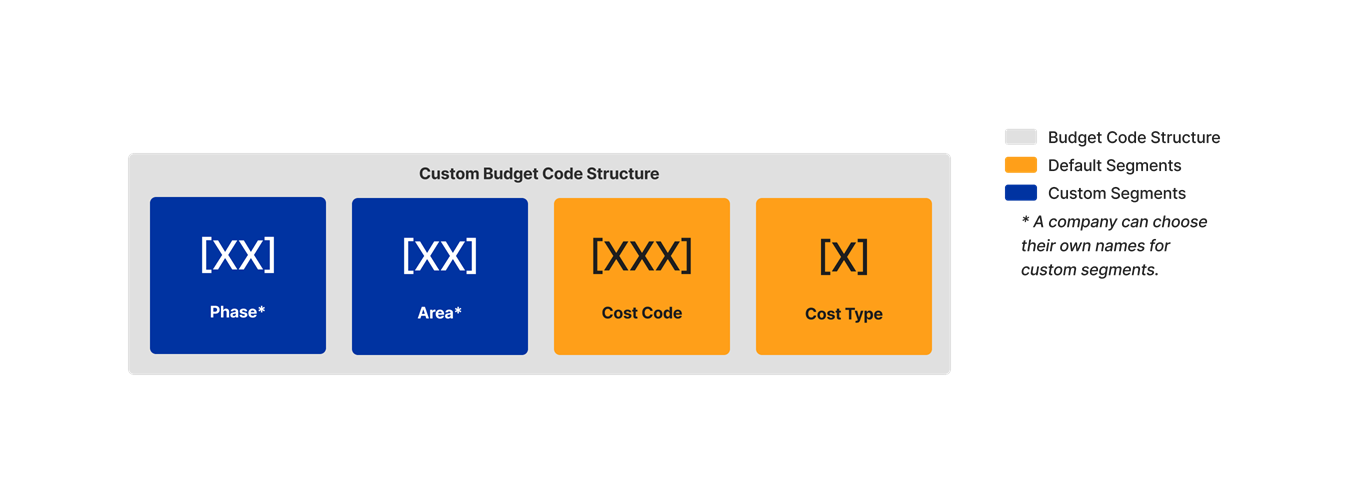

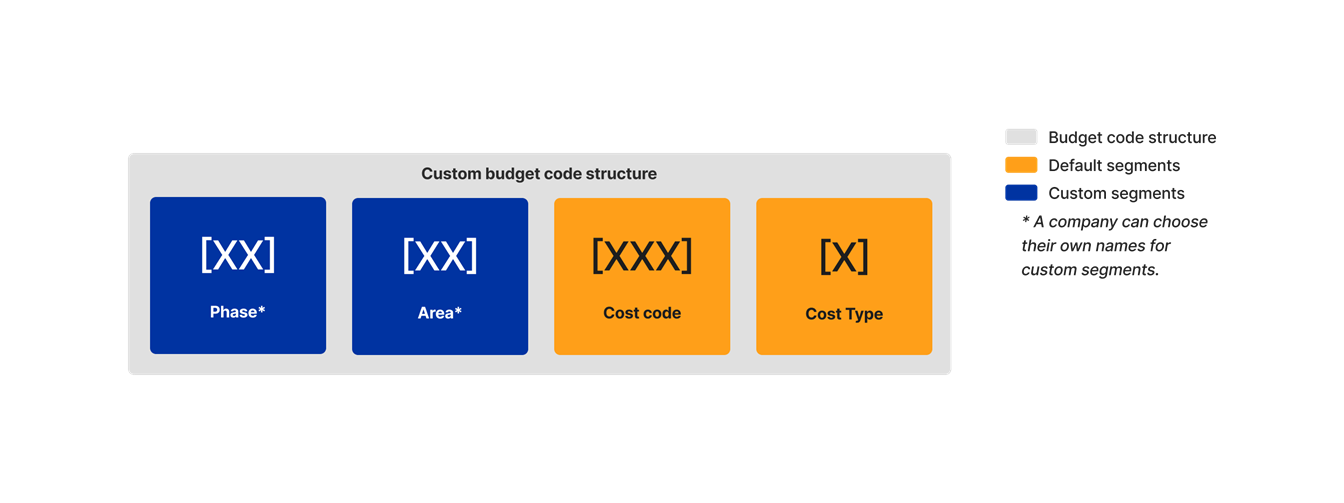


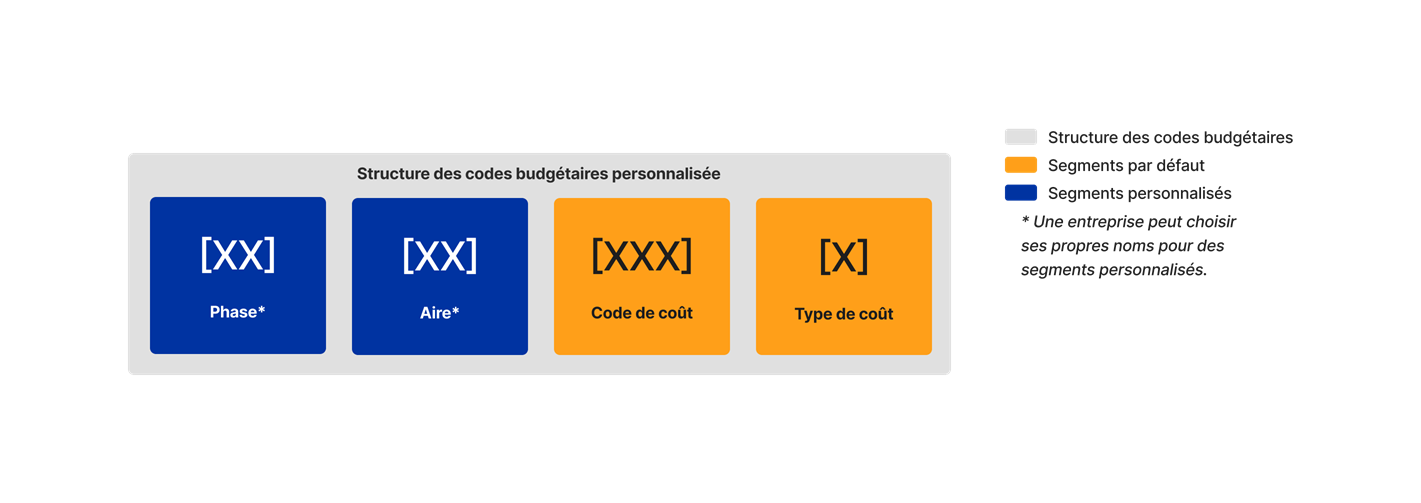


When getting started with Procore's WBS, segments must be added in the Company level Admin tool by your company's Procore Administrator. They are later used to define your company's budget code structure. Your company's budget code structure can be applied as-is to individual Procore projects or you can define a unique budget code structure at the project level, using a subset of what has been made available on projects via the company level.
When adding new segments to Procore, your company's Procore Administrator can configure each segment as flat or tiered. To learn more, see What are segments?
Tip
Not sure what custom segments to create? To learn how other Procore clients use Work Breakdown Structure, see What custom segments should we create for our company's Work Breakdown Structure?
考慮すべきこと
- 必要なユーザー権限:
- プロジェクトの管理者ツールに対する「管理者」レベルの権限。
注: Procore Imports アプリケーションでは、アクセス権限はサポートされていません。
- プロジェクトの管理者ツールに対する「管理者」レベルの権限。
- 要件:
- Procore Imports アプリケーション v 1.4.0 以降。「Procore Imports をインストールする」を参照してください。
- 制限事項:
- インポート処理を使用して、既存のセグメント項目を編集または削除することはできません。
- 重要!ERP 統合費用コードは、Procore Imports ではサポートされていません。「ERP との統合のための費用コード設定を構成する」を参照してください。
前提条件
- セグメント項目をそれらのセグメントにインポートする前に、プロジェクトの予算コード構成にセグメントを追加する必要があります。
- 次に、次の手順を実行します:
ステップ
- Procore Imports アプリケーションの [会社とプロジェクト] ページで、セグメント項目をインポートする会社を選択します。
- セグメント項目をインポートするプロジェクトを選択します。
- [続行] をクリックします。
- 「作業分解構成図セグメント」セクションで、[新しいセグメント項目を追加] をクリックします。
- [予算コード セグメントを選択] で、項目を追加するセグメントを選択します。
- [次へ] をクリックします。
- 次のオプションから選択します:
- 空白のテンプレートを保存して開く: セグメント項目の Excel テンプレートを開き、入力して保存するには、このオプションを選択します。「 Procore Imports アプリケーションへのインポート用にセグメント項目を準備する」を参照してください。
- このステップをスキップします: 費用コードの完成した XLSX ファイルを Procore にアップロードするには、このオプションを選択します。
- [テンプレート ファイルを選択] を選択して、ローカル機器からセグメント項目の XLSX ファイルをアップロードします。
- [プロセス] をクリックします。
- セグメント項目を確認します。
- 次のオプションから選択します:
- レコードをコンピューターに保存: レコードを CSV として保存し、後でインポート処理を再開するには、このオプションを選択します。
- Procore にインポート: インポート処理を続行するには、このオプションを選択します。
- テキスト フィールドに会社名を入力し、[続行] をクリックして、セグメント項目リストをインポートする決定を確定します。
注
- インポート中にエラーがあった場合は、エラーのリストが提供されます。その後、「エラーを保存して続行」してエラーのコピーをダウンロードし、元のインポート ファイルと比較することができます。
- [完了] をクリックします。