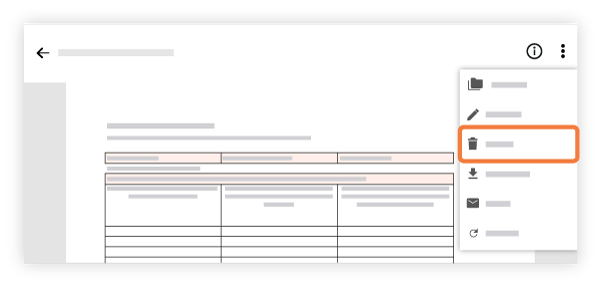
フォルダとファイルを削除する (Android) 最後の更新 PDFとして保存 目的 Android 携帯機器からフォルダとファイルを削除すること。 考慮すべきこと Required User Permissions: 'Admin' permissions on the Project level Documents tool. OR 'Read Only' or 'Standard' permissions on the Project level Documents tool with the 'Delete Files and Folders' granular permission enabled on your permission template. Note: The user must also have permission to view the file or folder. See Manage Permissions for Files and Folders. Additional Information: If you want to restore a file that was deleted, see Retrieve a File or Folder from the Recycle Bin. You cannot delete a file or folder while it is associated with a bid package. See Edit a Bid Package. The 'Schedules' folder cannot be deleted. See What is the 'Schedules' folder in the Documents tool and why can't I delete it? ステップ Android 機器でプロジェクトの [文書] ツールに移動します。 削除するファイルまたはフォルダに移動します。 縦の省略記号 (⋮) をタップします。 [ 削除] をタップします。 ポップアップで「はい」をタップして、項目の削除を確認します。 関連項目 ファイル名を変更 (Android)